Before creating a pull request from a fork, fork the upstream repository and push your changes to a branch in your fork. See リポジトリをフォークする.
In a pull request from a fork, the base branch is where you want to merge your changes, and the compare branch is the branch in your fork that contains your changes. See pull request の作成.
-
Navigate to the original repository where you created your fork.
-
ファイルの一覧の上にある黄色のバナーで、 [比較と pull request] をクリックして、関連付けられているブランチの pull request を作成します。

-
On the page to create a new pull request, click compare across forks.

-
In the "base branch" dropdown menu, select the branch of the upstream repository where you want to merge changes.
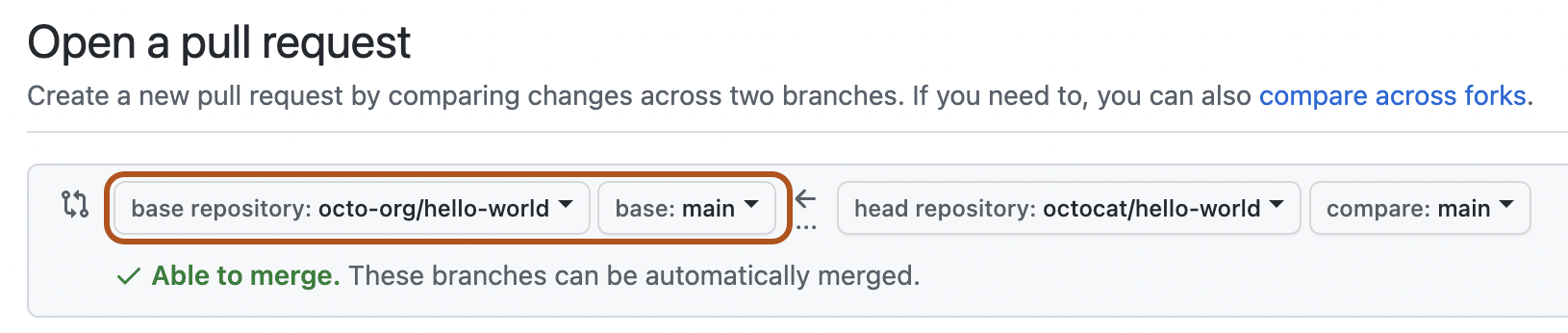
-
In the "head fork" dropdown menu, select your fork. Then, use the "compare branch" dropdown menu to select the branch where you made your changes.
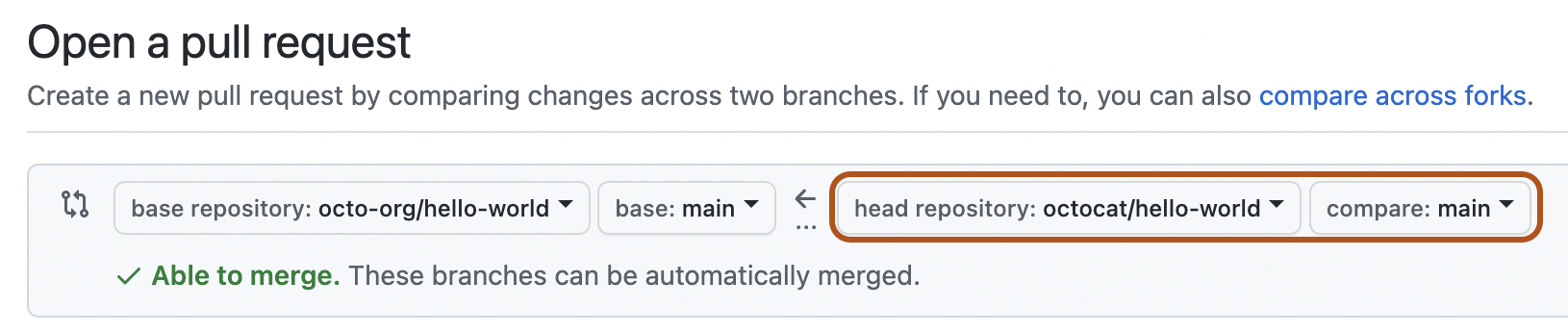
-
プルリクエストのタイトルと説明を入力します。
-
ユーザーが所有するフォークで、上流のリポジトリに対する push アクセス権を持つ人が pull request を変更することを許可する場合は、 [Allow edits from maintainers] (メンテナからの編集を許可) を選択してください。
警告
フォークに GitHub Actions ワークフローが含まれている場合、オプションは [Allow edits and access to secrets by maintainers] になります。 GitHub Actionsワークフローを含むフォークのブランチの編集を許可すると、メンテナにフォークされたリポジトリのワークフローの編集も許可することになり、シークレットの値を明らかにして他のブランチへのアクセスも許可してしまう可能性があります。
-
レビューの準備が完了している pull request を作成するには、 [pull request の作成] をクリックします。 ドラフトの pull request を作成するには、ドロップダウンを使用して、 [ドラフトの pull request の作成] を選択し、 [ドラフトの pull request] をクリックします。 組織のメンバーである場合は、組織の所有者から下書きプル要求へのアクセスを要求することが必要になることがあります。 「Pull Request」をご覧ください。


ヒント
pull request を作成したら、提案された変更のレビューを特定の人に依頼できます。 詳しくは、「プルリクエストレビューを依頼する」をご覧ください。