About auto-merge
Auto-merge merges a pull request automatically after all required reviews and status checks pass. Before you use auto-merge, it must be enabled for the repository. See Managing auto-merge for pull requests in your repository.
Auto-merge is disabled if someone without write permissions pushes new changes to the head branch or switches the base branch.
Enabling auto-merge
Note
The option to enable auto-merge is shown only on pull requests that cannot be merged immediately. For example, when a branch protection rule enforces "Require pull request reviews before merging" or "Require status checks to pass before merging" and these conditions are not yet met. For more information, see Managing a branch protection rule.
People with write permissions to a repository can enable auto-merge for a pull request.
-
On GitHub, navigate to the main page of the repository.
-
Under your repository name, click Pull requests.
-
In the "Pull Requests" list, click the pull request you want to auto-merge.
-
Optionally, select the dropdown menu, then click a merge method. See Pull request merges.
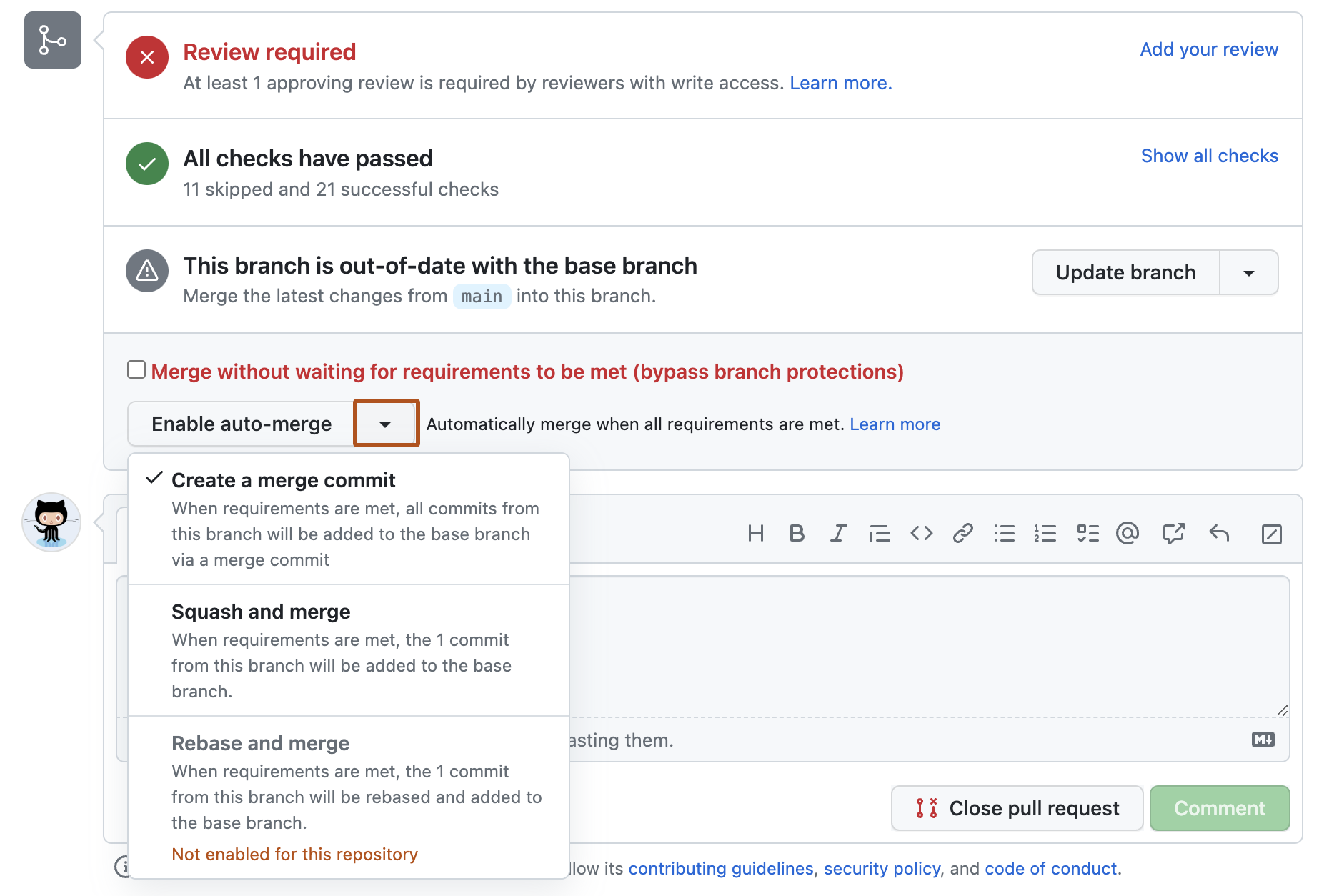
-
Click Enable auto-merge.
-
If you chose the merge or squash and merge methods, type a commit message and description.
-
Click Confirm auto-merge.

Disabling auto-merge
People with write permissions to a repository and pull request authors can disable auto-merge for a pull request.
- On GitHub, navigate to the main page of the repository.
- Under your repository name, click Pull requests.
- In the "Pull Requests" list, click the pull request for which you want to disable auto-merge.
- In the merge box, click Disable auto-merge.